
Fans First Tickets
Savannah BananasSports
3.358.00 Reviews
- Version
- 1.0.17
- Installs
- 100.00K
- Age Rating
- Everyone
Screenshots
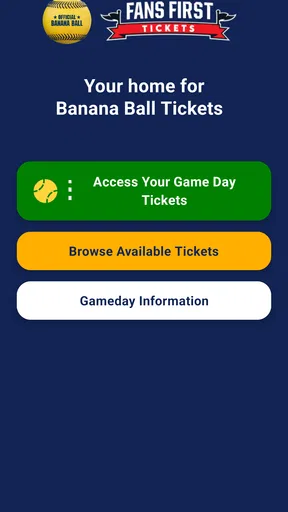
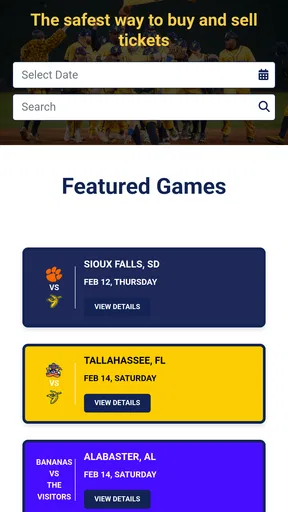
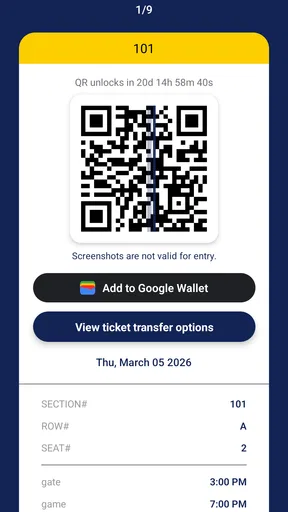
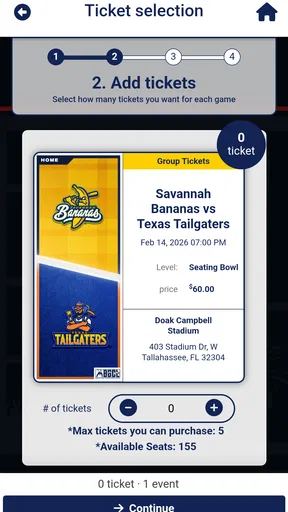
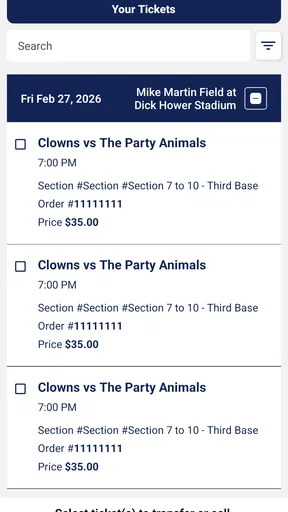
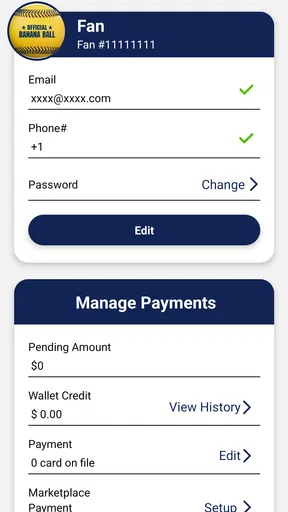
Our Review of Fans First Tickets
 Analysis by Appyee
Fans First Tickets is a focused sports app from Savannah Bananas for people who need to find, manage, and transfer Banana Ball tickets without relying entirely on a browser or a paper confirmation. I approached it as a practical ticket companion rather than a general sports hub, and that distinction matters: its value depends less on discovering scores or following a season and more on making a ticket handoff or event-day check less stressful.
What stood out to me is how narrow the purpose feels. The app is free, rated for Everyone, and available for Android devices running version 7.0 or later. That makes it approachable for households using older phones, although a compatible operating system alone does not guarantee a comfortable experience for every person. The current release is version 1.0.11, and the app has passed the early adoption stage with over one hundred thousand installs. Its average rating is 3.1, based on around eighty ratings, so I would treat it as useful but still developing rather than as a flawlessly polished ticketing tool.
How clearly the ticket journey is presented
The first thing I look for in any ticket app is whether I can understand what to do without learning a new system. Fans First Tickets has a simple mental model: locate the relevant ticket, keep it organized, and transfer it when another person will use it. That is much easier to grasp than an app that mixes ticketing with news, merchandise, video, social posts, and unrelated sports content.
That focused scope can help people who prefer a short route from opening the app to handling an event pass. It is especially useful when one person in a family buys tickets but a different person is attending. Instead of forwarding a long email thread and hoping the recipient finds the correct attachment, the ticket can be treated as the item that needs to move from one person to another.
I also think the app’s wording matters for readability. Ticket actions should be obvious at a glance, because event-day decisions are often made while walking, talking, or dealing with a queue. A clear action such as transferring a ticket is more helpful than a vague label that forces users to guess whether it sends, shares, or merely displays the pass. In practice, I would pause before completing any transfer and check the recipient details carefully. A simple interface reduces confusion, but it does not remove the consequences of sending a ticket to the wrong person.
For users with low vision, the most important test is not whether the screen looks modern. It is whether text remains understandable when the phone is held at a distance, outdoors, or under uneven lighting. The app is not a substitute for the phone’s own display and text settings, so I would recommend increasing system text size before an event and checking whether the key ticket controls still remain visible and usable. That preparation is more valuable than waiting until the entrance line to discover that enlarged text has made a button difficult to reach.
People who use screen magnification may need to move around the ticket screen rather than seeing the entire pass at once. That is not automatically a problem, but it makes the placement of essential information important. I would open the ticket in advance, identify where the event details and transfer control appear, and avoid experimenting for the first time at the venue. This is one of the less obvious advantages of a dedicated ticket app: you can rehearse the important path before the pressure of arrival.
For people who process information more comfortably when it is presented in small steps, the app’s limited purpose is a strength. There are fewer unrelated destinations competing for attention. On the other hand, ticket management still involves decisions that should not be rushed. A transfer may be appropriate when a friend is attending in your place, while simply displaying the ticket is better when you are entering together. I would not treat every sharing option as interchangeable.
Making transfers less confusing
The transfer workflow is where I see the most practical value. Imagine that I bought tickets for a group, but one friend is arriving separately after work. The useful routine would be to open the app before leaving, select that person’s ticket, and transfer it while I still have time to correct an error. The friend can then handle their own arrival instead of asking me to meet them outside or keep checking messages.
A second scenario is a parent giving a ticket to a teenager attending with another trusted adult. In that case, I would confirm which ticket belongs to the teenager, send only that ticket, and ask the recipient to open it before travelling. This avoids a common real-world problem: discovering at the entrance that the recipient never completed the handoff or cannot find the message containing the ticket.
My practical tip is to separate ticket organization from last-minute social coordination. Decide who is using each ticket earlier, then use the app for the actual handoff. That approach is safer than standing in a crowded area while comparing names, screenshots, and conversations. It also helps users who need extra time to read or navigate, because the important work happens in a calm setting.
I would be cautious about relying on screenshots as a replacement for the app’s own ticket handling. A screenshot may be hard to read, may not reflect the current status of a ticket, and can leave the recipient unsure whether they have received something usable. Fans First Tickets is better suited to a controlled transfer than to an improvised image exchange. If someone in your group has limited dexterity or difficulty switching between apps, completing the transfer before the journey is particularly important.
Motor, sensory, and situational considerations
Motor access is often overlooked in ticketing. A person with tremors, reduced precision, or one-handed phone use may find small controls and closely spaced actions harder than a user with unrestricted movement. I would use the app with the phone held in the position that will be used at the venue, not just while seated at home. If a transfer requires several precise taps, doing it early gives the user time to ask a trusted companion for help without creating entrance-line pressure.
People who have difficulty with touch gestures may prefer a workflow that does not depend on repeated swiping or dragging. I would look for the shortest reliable path to the ticket and avoid unnecessary navigation once it is open. Keeping the phone charged and having the ticket ready before reaching the gate also reduces the number of physical actions required when attention is divided.
Sensory conditions create a different set of challenges. Sports venues can be bright, loud, crowded, and visually busy. Even if the app itself is easy to understand, using it in that environment may be uncomfortable. Someone sensitive to noise or flashing surroundings may benefit from opening the ticket in a quieter location before entering the busiest part of the venue. Someone who becomes overloaded by crowd movement may want a companion to manage the phone while they focus on moving through the entrance.
This is where a ticket app should be judged as part of a larger journey, not only as a screen. A readable ticket does not solve every problem at a busy stadium. Fans First Tickets can reduce one source of uncertainty by keeping the ticket workflow in one place, but it cannot control lighting, noise, queues, staff communication, or the physical layout of the venue. I appreciate the distinction because it prevents unrealistic expectations.
For users who are deaf or hard of hearing, a digital ticket can be convenient because the essential item is displayed visually rather than communicated only through spoken instructions. Still, any issue with a transfer or entry may require interaction with venue staff, and the app alone cannot guarantee that this conversation will be accessible. I would prepare the ticket details beforehand and, where needed, use written communication or a companion to reduce dependence on verbal explanations.
For users with cognitive disabilities, the strongest approach is to create a predictable routine. Open the app at home, identify the ticket, verify the event information, and show the recipient how to access it. If several family members are involved, write down who has which ticket in plain language. This may sound basic, but it prevents the app from becoming another source of uncertainty when everyone is already travelling.
Using it when plans change
Ticket management becomes more valuable when plans are not perfect. A friend may arrive separately, a family member may decide not to attend, or the person who originally organized the group may lose phone access. In these situations, a transfer tool is more useful than a static confirmation email because it is designed around changing ownership rather than simply displaying a purchase record.
There is a trade-off, though. Centralizing tickets in an app means the user should think about battery, connectivity, login access, and device familiarity. I would not wait until the venue to install or learn it. The safest routine is to open the app before travelling, confirm that the intended ticket is visible, and make sure every recipient understands what they received. If a user depends on another person for phone assistance, that helper should be included in the preparation rather than called only when a problem appears.
This also explains why the app may not suit everyone. If you rarely attend Banana Ball events, dislike managing tickets on a phone, or need a system that works entirely through a desktop browser, a conventional email confirmation or direct support route may feel more comfortable. The app’s strength is convenience for an active ticket holder; its weakness is that convenience depends on the user being willing and able to work inside a mobile workflow.
Compared with a general sports app, Fans First Tickets is less distracting and more directly connected to the practical task of attending. A general sports app may be better for scores, news, schedules, or broader team content, but those features can make ticket actions harder to find. Compared with a mobile wallet, this app is more specialized for the Savannah Bananas ticket relationship rather than for storing many unrelated passes. Compared with email, it offers a more intentional place to manage and transfer tickets, while email may remain easier for someone who prefers familiar messages and attachments.
That comparison reveals an important choice. If your main concern is keeping every kind of pass in one universal wallet, a wallet app may be more convenient. If your concern is giving another person a Banana Ball ticket and keeping the process tied to the event, Fans First Tickets makes more sense. I would choose it for the latter situation, especially when several people are coordinating attendance.
Remaining barriers before event day
The average rating of 3.1 suggests that not every user has found the experience smooth. I would not assume that a focused design eliminates frustration. Any ticket app can become difficult when a user has forgotten account details, cannot identify the correct ticket, or needs to transfer something while travelling. The narrow purpose helps, but reliability and clarity still matter more than a short feature list.
Another barrier is shared responsibility. The purchaser may understand the app, while the recipient may not. A transfer is only successful in practical terms when the other person knows where to find the ticket and how to present it. For older relatives, children, or people who use assistive settings, I would send the ticket early and walk through the process in person or by phone. Do not assume that receiving a notification means the ticket is ready for the gate.
Device age can also affect comfort. The minimum operating system is Android 7.0, which is accommodating for many older devices, but an older phone may still have a small display, limited battery life, or slower performance. I would test the app on the actual phone that will be taken to the event. A family member’s newer phone may work perfectly while the attendee’s everyday device creates the real difficulty.
There is also a privacy consideration in any transfer workflow. I would double-check the recipient before confirming and avoid handing an unlocked phone to someone in a crowded public place. If another person is helping with access because of a motor or visual limitation, agree on exactly what they are doing: finding the ticket, transferring it, or presenting it. Clear roles reduce accidental changes.
The app’s Everyone rating makes it broadly suitable from an age-classification perspective, but inclusive use still depends on the individual. A child may need an adult to manage the ticket. A person with memory difficulties may need a written reminder. Someone with limited data access may need to prepare earlier. These are not flaws unique to this product, but they are real conditions that affect whether it works well in daily life.
I also would not recommend it as the only plan for a group with complex access needs. Keep essential booking information available in a form the group can understand, and make sure the person responsible for entry knows which attendee holds each ticket. The app can be the main tool without being the only source of reassurance. That small amount of preparation is worthwhile when a failed transfer could affect an entire group.
My inclusive verdict on Fans First Tickets
I see Fans First Tickets as a practical, specialized companion for Savannah Bananas supporters who want a clearer mobile route to their Banana Ball tickets. Its free price removes an obvious entry barrier, and its focused purpose is easier to explain than a large sports platform filled with unrelated features. Savannah Bananas has built the app around the part of the experience that changes most often: finding the ticket, keeping track of it, and passing it to the person who will attend.
For me, the best use case is a group booking where attendees arrive separately. Prepare the tickets at home, transfer them before travelling, and let each person keep responsibility for their own entry. That workflow is especially helpful for users who need more time, larger system text, a quieter environment, or assistance from a companion. It turns a rushed exchange at the gate into a planned task.
I would be more hesitant to recommend it to someone who wants a universal pass wallet, a full sports information service, or a ticket system that never requires mobile preparation. The modest average rating also tells me to keep expectations realistic. I would install it before the event, test the relevant path, and avoid making the first transfer during a crowded arrival.
Overall, Fans First Tickets is most inclusive when preparation is treated as part of the ticket experience. It cannot guarantee accessible venues or remove every technical and sensory barrier, but its narrow job can reduce confusion for many attendees. I would recommend it to Banana Ball ticket holders who value dedicated management and transfers, with one condition: make the ticket and handoff routine familiar before event day.
Privacy and Permissions
See what permissions an app requests and how it handles your data.
- Photos/Media/Files
- read the contents of your USB storage, modify or delete the contents of your USB storage
- Storage
- read the contents of your USB storage, modify or delete the contents of your USB storage
- Camera
- take pictures and videos
- Wi-Fi connection information
- view Wi-Fi connections
- Other
- view network connections, full network access, run at startup, prevent device from sleeping, Google Play license check
Verdict
Strengths of Fans First Tickets
- Official ticket access can reduce the risk of buying counterfeit tickets.
- Mobile tickets are convenient to store and present at the venue.
- Event details and ticket information are kept together in one app.
- Fans may receive access to team or venue-specific ticket offers.
- Digital delivery avoids waiting for physical tickets to arrive.
Limitations of Fans First Tickets
- Availability depends on participating teams, venues, and supported events.
- Popular tickets can sell out quickly during high-demand releases.
- Service fees may increase the final price at checkout.
- A stable internet connection may be needed to load mobile tickets.
- Ticket transfers or resale options may vary by event and organizer.
Similar Picks in This Category
View All
BeSoccer: Soccer Live Score
BeSoccer apps4.3

Cricbuzz - Live Cricket Scores
Cricbuzz.com3.7

NFL
NFL Enterprises LLC2.4

Da Fit
MO YOUNG LIMITED3.6

ESPN
Disney4.5

LiveScore: Live Sports Scores
LiveScore Limited4.5
Frequently Asked Questions
What is Fans First Tickets?
Fans First Tickets is a ticketing platform designed to help users discover and purchase tickets for selected live events, including sports, concerts, and entertainment experiences. The app may provide event details, seating or ticket information, pricing, and digital ticket access. Availability depends on the event, venue, organizer, and the user’s location.
How do I purchase tickets through Fans First Tickets?
To purchase tickets, search for an available event, review the date, venue, ticket type, seating details, and total price, then continue through the checkout process. You may need to create an account or provide contact and payment information. Before confirming the order, carefully check fees, delivery details, and event policies because completed purchases may be subject to restrictions.
Are tickets purchased through the app legitimate and safe to use?
Tickets issued through the official Fans First Tickets platform are generally intended to be valid for the event shown in your order confirmation. However, users should download the app from an official store, verify the event and venue details, and avoid sharing ticket barcodes publicly. Keep confirmation emails and follow the organizer’s instructions for entry, transfers, and identity checks.
Can I cancel my order or receive a refund?
Refund and cancellation rules depend on the event organizer, venue, promoter, and the specific ticket terms displayed during checkout. Many ticket purchases are final unless an event is canceled, postponed, or covered by a stated refund policy. Review the order confirmation and the platform’s support information promptly if you need help with a refund, exchange, transfer, or schedule change.
What should I do if my digital ticket does not appear or will not scan?
First, confirm that you are signed in to the same Fans First Tickets account used for the purchase and that your device has a stable internet connection. Check your email and order history, update the app, and increase screen brightness when presenting the barcode. If the ticket remains unavailable or fails at the entrance, contact official support or venue staff immediately.
